CLMS Staff Resources Page
Links:
 To access 5-star website directly
-
- Setting up your Canvas Home Page (The page your students will first see after clicking on your class tile)
- Creating web link on Canvas
- Cross-Listing Classes (*Use this when classes are the "same" but different periods. NOTE: You can still assign separate assignments and see them as separate classes if you like, but you can also treat them as one giant class, meaning any changes made to one period will be made to the other, unless you choose not to.)
- Canvas to Infinite Campus Sync (Jacob Brown - Video)
- Cougar Connected (watch)
- InTech PD opportunities
i-Ready Resources
- i-Ready Resources Padlet a collection of guides, videos, and tips for using i-Ready reports
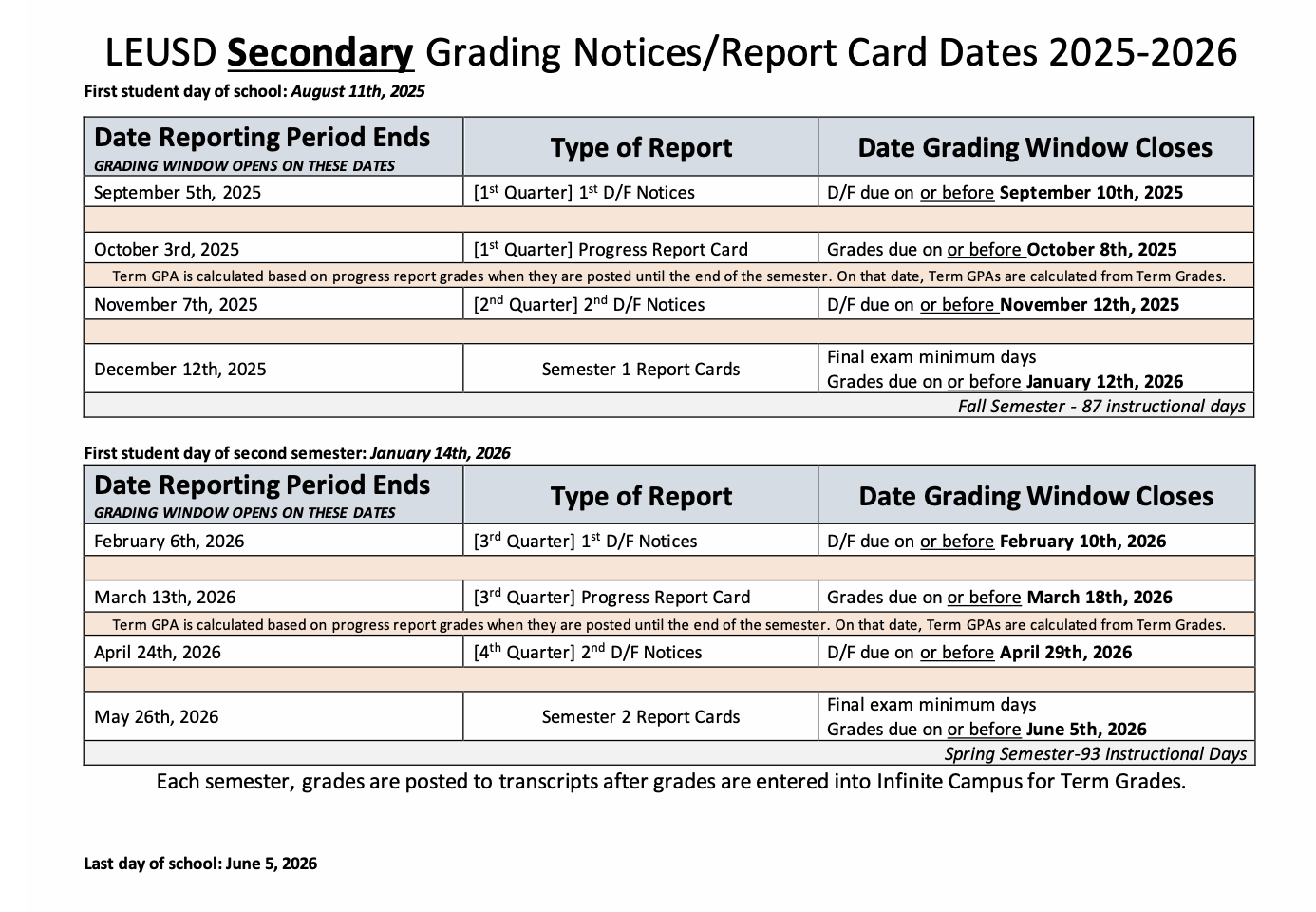
- Planner 25-26 (S2 - The pages - Printable)
- Planner 25-26 - FILLABLE (S2 - Digital & Fillable)
- Cover Front -
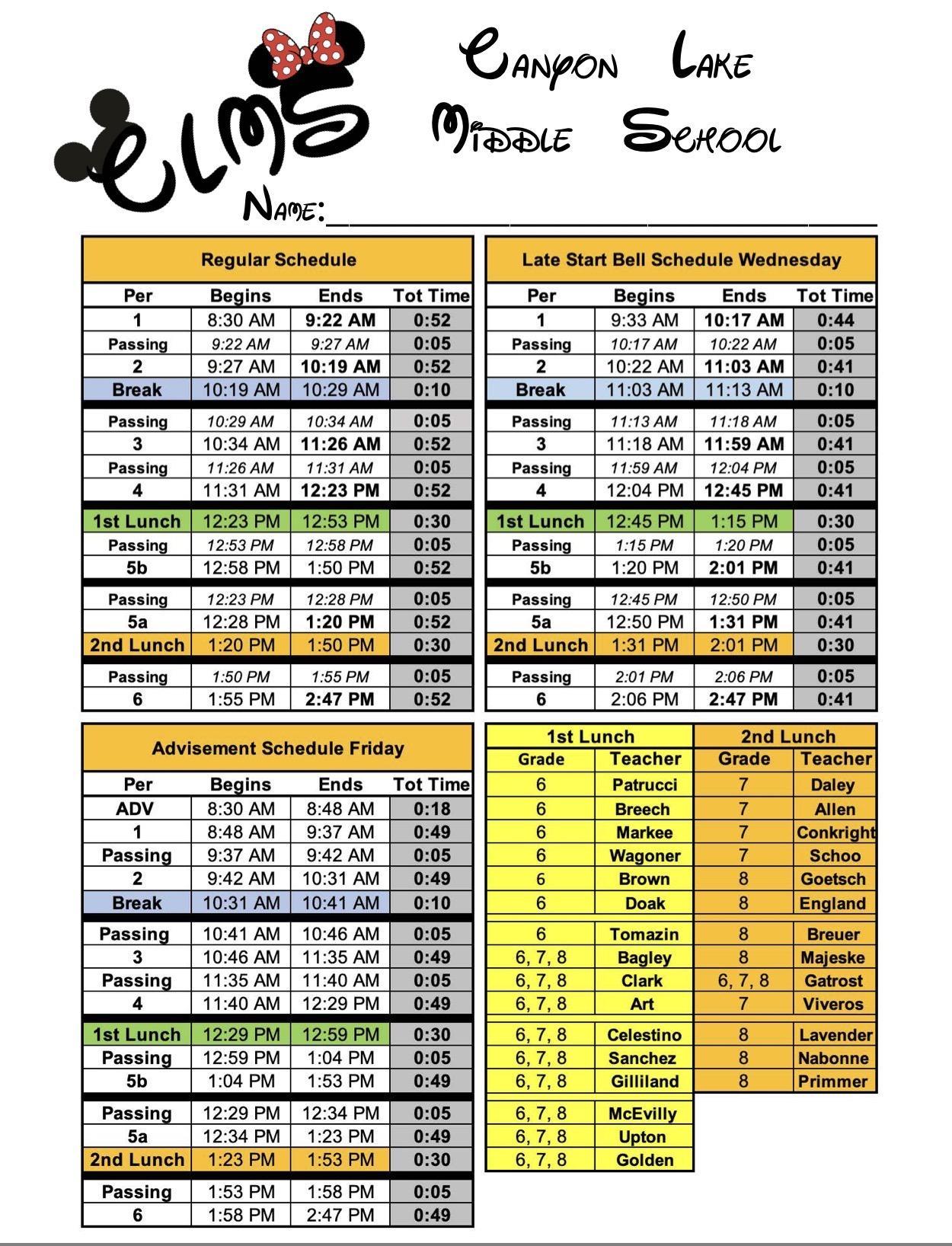
- Cover Inside Front (Front Office Information) -
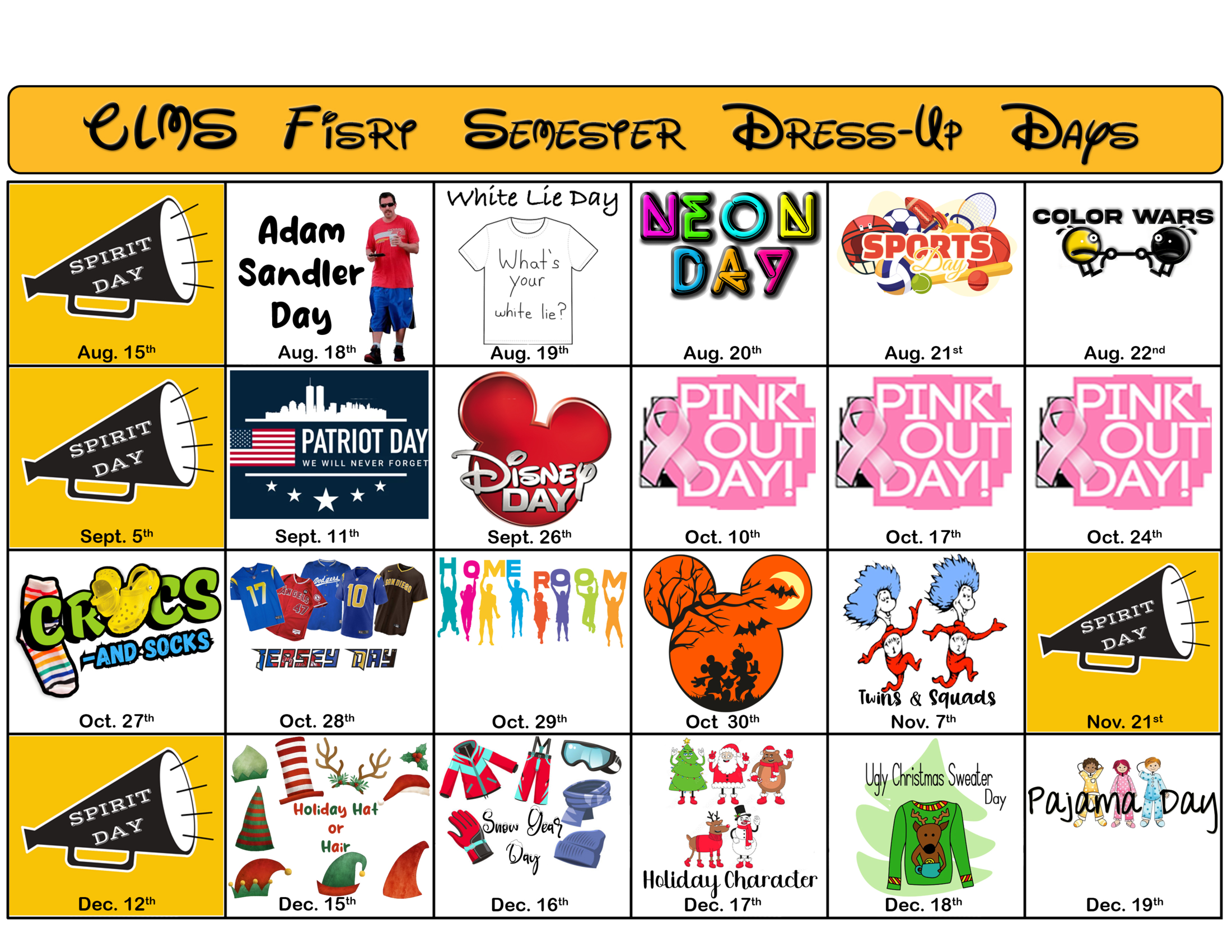
- Cover Inside Back (Dress-up Days) -
- Cover Outside Back (Map) -
- PLC Dates 25-26
- Recommended PLC Dates:
8/13/25, 8/27/25, 9/10/25, 9/24/25, 10/8/25, 10/22/25,
11/5/25, 11/19/25, 12/3/25, 1/21/26, 2/4/26, 2/18/26, 3/4/26, 3/18/26, 4/8/26, 4/22/26, 5/6/26, 5/20/26.
- Recommended PLC Dates:
LEUSD Printing Reprographics- https://www.leusd.k12.ca.us/apps/pages/Reprographics
- Resource Hubs on Canvas
- SCHED 25-26 - LEUSD Professional Development
- Technology Request & Work Orders
- Log in with your LEUSD credentials
- Double check your name & site/room are correct at the top of the screen.
- Submit as much detail as possible about your technology issue. This greatly helps Jacob our site tech support specialist know of any troubleshooting that has been attempted already. ex: "restarting your device"